Git on the command line works, but visualizing branch history, managing complex merges, and staging individual hunks are faster with a good GUI or TUI. I have used GitKraken, Fork, and Lazygit across projects of varying complexity over the past year.
GitKraken
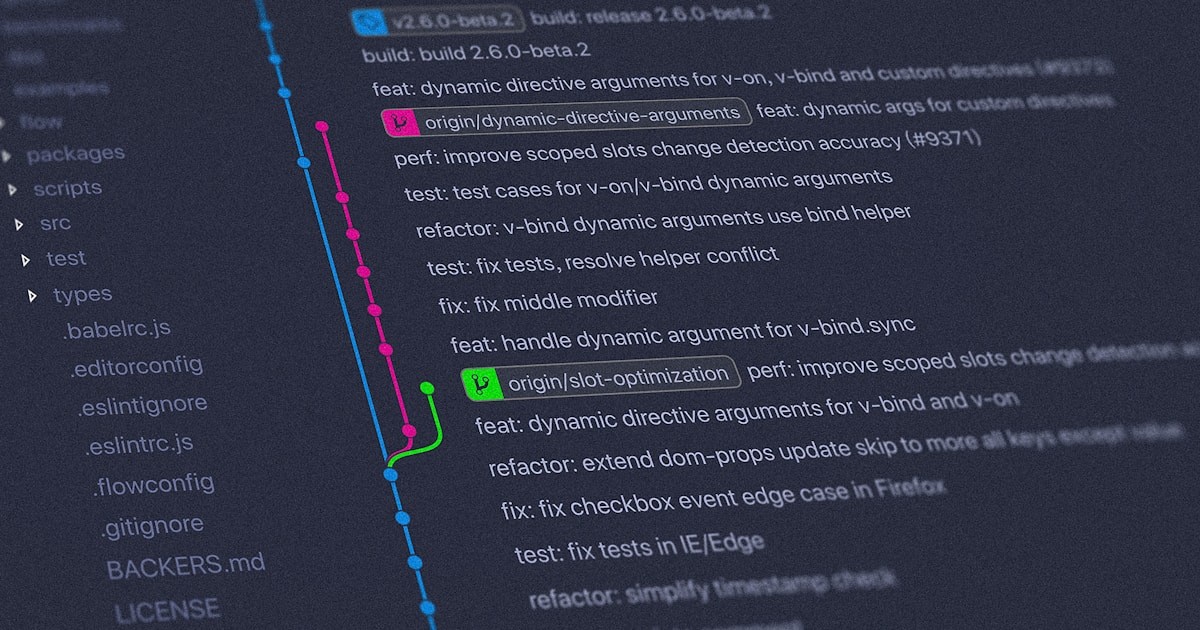
GitKraken is the most feature-rich option. The commit graph is beautiful and readable, even on repositories with dozens of branches. Drag-and-drop merge and rebase operations make complex git operations visual and less error-prone.
The built-in merge conflict editor shows three-way diffs (base, ours, theirs) with syntax highlighting. For complex conflicts, this is dramatically faster than resolving in a text editor. The integration with GitHub, GitLab, and Bitbucket lets you create PRs, review issues, and manage repositories without leaving the app.
GitKraken Workspaces let you group related repositories and see the status of all of them at once — useful for microservice architectures where changes span multiple repos. This complements your project management workflow by connecting code changes to project context.
The downside is performance on large repositories. Repos with 100K+ commits can be sluggish, and initial clone/load times are slower than lighter tools. The free tier is limited to public repos; private repos require a paid plan ($4.95/month).
Best for
Visual learners and developers who manage complex branching strategies. Teams working across multiple repositories. Anyone who finds Git’s CLI intimidating for merge and rebase operations.
Fork
Fork is a fast, native Git client for Mac and Windows. The interface is clean and responsive — it feels like a native app because it is one, built with platform-native UI frameworks rather than Electron.
The interactive rebase interface is the best I have used. Drag commits to reorder, squash, edit, or drop them visually. The staging view lets you stage individual lines or hunks, which is essential for creating clean, atomic commits from messy work-in-progress changes.
Image diff support shows visual changes to images side-by-side, which is useful for projects with design assets. The blame view is fast and navigable — click any line to see the commit, then click through to see the full diff.
Fork costs $49.99 as a one-time purchase. There is a free evaluation period with no feature restrictions, and the developers are generous about not enforcing it aggressively. For a tool you use daily, the price is reasonable.
Best for
Mac and Windows developers who want a fast, native Git client. Developers who do frequent interactive rebases and line-level staging. A natural fit alongside a productivity-focused toolkit.
Lazygit
Lazygit is a terminal UI (TUI) for Git. It runs in your terminal, uses keyboard navigation, and provides a visual interface for all Git operations without leaving the command line. If you live in the terminal — using vim, tmux, and CLI tools — Lazygit fits your workflow perfectly.
The layout shows branches, commits, files, and stash in panels you navigate with keyboard shortcuts. Staging, committing, rebasing, cherry-picking, and conflict resolution all happen through the TUI with minimal keystrokes. The speed is excellent — everything is instant because there is no GUI overhead.
Custom commands let you extend Lazygit with your own Git workflows. Bind a keyboard shortcut to a specific Git command or script, and it becomes part of your workflow. This extensibility is unique among Git clients.
Lazygit is free and open source. It works on Mac, Linux, and Windows (through WSL or native). Configuration is through a YAML file.
Best for
Terminal-native developers using vim/neovim, tmux, and CLI workflows. Anyone who wants a visual Git interface without leaving the terminal. Pairs naturally with AI-powered terminal tools.
Verdict
Fork is the best GUI client for daily use. It is fast, native, handles interactive rebase beautifully, and the one-time pricing is fair.
Lazygit is the best option for terminal-first developers. The TUI approach is fast and fits naturally into terminal-based workflows.
GitKraken is the best for teams that need built-in integrations and multi-repo management. The visual branch graph is the most readable of the three.
Choose based on where you work: GUI (Fork or GitKraken) or terminal (Lazygit). All three handle the daily Git operations that matter — staging, committing, branching, merging, and rebasing — better than the raw command line.

About Brian Detering
Brian Detering is a software engineer, educator, and tech writer based in Los Angeles. He teaches programming and software engineering at the University of Southern California, where his work spans programming languages, systems architecture, and applied AI. With over a decade of hands-on experience building production systems, Brian writes about the tools and workflows that actually make developers more productive — from CI/CD pipelines and containerization to API testing and security best practices. When he's not teaching or writing code, he's usually benchmarking the latest dev tools or tinkering with homelab infrastructure.